Affiliate disclosure: This article contains Amazon links. As an Amazon Associate we earn from qualifying purchases, at no extra cost to you.
A family command center should reduce decisions at the busiest points of the day. It gives the things that need action—a permission slip, tomorrow's appointment, a library book, a key—one visible route through the house. When it becomes a display for every paper and household category, it creates the same problem it was meant to solve.
The fix is to design the station around a few repeatable actions rather than around containers. Start with what regularly gets lost or forgotten, assign each item a small home, and set limits that force finished material to leave. You can build a useful family organization station with a narrow wall, the inside of a cabinet door, or one section of an entryway. It does not need a renovation or a matching set of bins.
Start with a 15-minute traffic audit
Before buying anything, watch what happens when people come home and when they leave. Where do backpacks land? Which papers reach the kitchen counter? Where do keys, chargers and reusable bags disappear? Write down the five items that cause the most searching, reminders or last-minute trips. Those are the only items your first version needs to handle.
Separate an item's temporary stop from its permanent home. A signed form may wait at the command center until it returns to school. A paid bill, completed worksheet or old newsletter should move to recycling, filing or another long-term location. If the station becomes permanent storage, it will fill no matter how attractive the baskets are.
| Item arriving | Action at the station | Exit rule |
|---|---|---|
| School paper | Read, sign or add its date | Return to bag, recycle or file |
| Open and choose the next action | Recycle envelope; move task to action slot | |
| Key or access card | Hang it on its assigned hook | Leaves only with its person |
| Invitation or appointment card | Add the date and needed details | Photograph, file briefly or recycle |
| Item to take tomorrow | Place in the launch area | Leaves during the next trip |
Choose one job for the command center
Give the station a plain job description: “This is where incoming information becomes a decision.” That keeps it from absorbing craft supplies, long-term records, spare batteries, keepsakes and every object without a home. Your version may also hold keys and tomorrow's small carry-out items, but keep the purpose narrow enough that everyone can understand it at a glance.
Choose one person to manage the system while you test it, then make the actions simple enough for everyone else to use. A child may be able to place school papers in an inbox and hang a backpack, while an adult reviews forms and dates. Clear responsibility is more useful than asking the whole family to “keep this organized.”
Give paper one landing spot
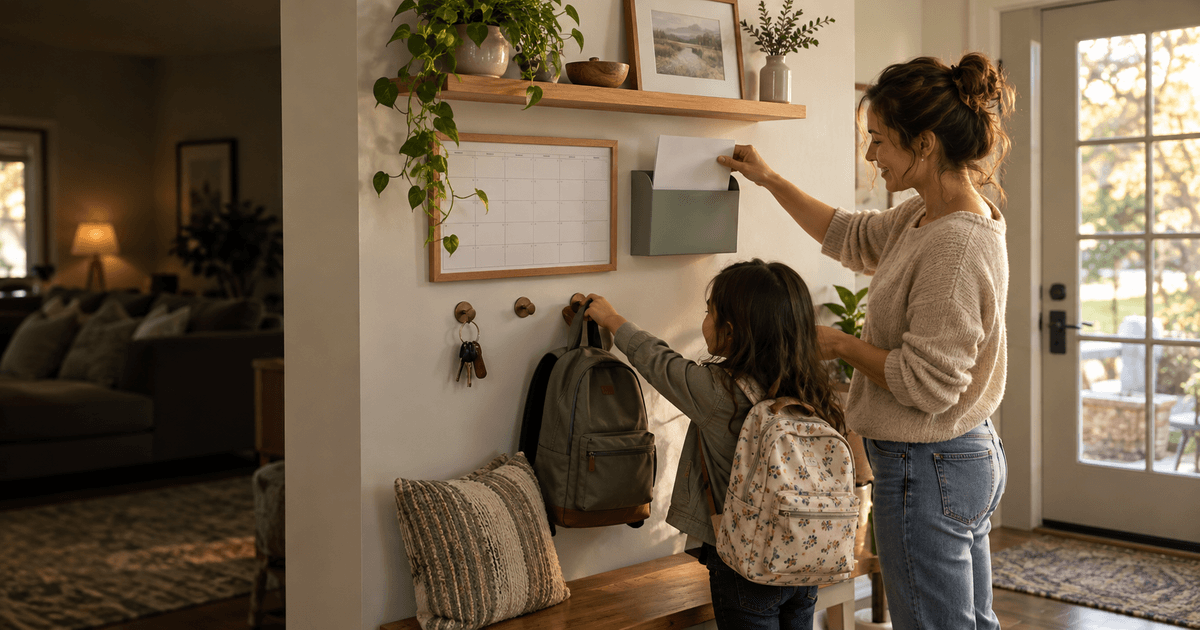
A wall-mounted organizer can be useful when the kitchen counter is the current landing place. The Dahey Wall-Mounted Mail Organizer with Key Hooks and Shelf is one option to compare if its shape suits your space. We have not hands-on tested this model, and the system works just as well with a container or organizer you already own. Measure your wall, check the current listing details and installation needs, and decide whether a small mail slot plus key hooks matches the items from your traffic audit.
A compact option for combining one incoming-paper spot with a consistent home for keys near the entryway.
Paid link: We may earn a commission if you buy through this link.
Check price on Amazon →Paper needs a single obvious inbox, not several category files on day one. Label it with an action such as “Review” rather than a broad category such as “Papers.” When you empty it, decide each item's next step: sign it, schedule it, return it, file it or recycle it. Do not create a “miscellaneous” pocket; that is a delayed decision disguised as storage.
Put it on the route people already use
The best location is near the natural handoff point. That might be beside the door used after school, on a kitchen wall visible during breakfast, or in a short hallway between the entry and living area. Walk the route with a backpack, mail and keys in your hands. If using the station requires turning around, opening several doors or crossing the room, people will choose the nearest flat surface instead.
Keep walking space, doors, switches and vents clear. Place child-handled items where the child can reach them safely, and keep private papers or adult-only items elsewhere. A drop zone entryway can be only a few hooks and one paper slot. The goal is a smooth handoff, not a wall filled from floor to ceiling.
Use five zones at most
A practical first version needs fewer zones than most inspiration photos suggest. Use only what solves your recurring problems:
- Review: the one inbox for new paper.
- Return: forms, library books or small items that must leave the house.
- Schedule: one shared view of dates and time-sensitive notes.
- Daily carry: keys, access cards or another frequently used small item.
- Supplies: one pen and anything essential for processing paper.
If a zone stays unused for two weeks, remove it. If one overflows, examine the exit rule before adding a larger container. Capacity limits are part of the design: one hook per regular key set, one slot for incoming paper, and one small return area. An overflowing zone signals a missed review or an item that belongs somewhere else.
Make the calendar show decisions
A family calendar wall becomes noisy when it tries to record everything. Show the events that affect another person's time, transport, meal or preparation. Include who is involved, the start time, the location when needed, and one preparation cue such as “bring instrument.” Personal reminders that do not affect a handoff can stay in a personal system.
Choose either a paper calendar or a digital family view as the source of truth. If you use both, define the relationship. For example, the digital calendar holds full details and the wall shows only the next seven days. Update them together during the weekly reset so two versions do not quietly disagree.
Separate “to do” from “to take”
These categories look similar but behave differently. “To do” needs an owner and a time: sign the form tonight, call the dentist Thursday, or pay the fee by Friday. “To take” needs a physical launch point: the signed form goes back into the backpack, and the donation bag waits beside the door. Mixing both in one basket makes completed actions look unfinished.
For each action paper, write or attach the next step rather than relying on memory. A simple sticky note can say “Sam—sign tonight” or “Add date, then recycle.” Keep notes factual and brief. The station should answer what happens next without requiring a family meeting every time someone looks at it.
Design a two-minute daily closing routine
Connect the reset to an event that already happens, such as clearing dinner dishes or packing school bags. Empty the paper inbox, return keys to hooks, move completed forms to bags and remove anything that no longer needs action. Stop after two minutes. Longer filing and household administration belong in a separate weekly block.
When children participate, give each one a concrete action: hang the backpack, place papers in Review, check the Return spot. Avoid “clean the command center,” which hides several decisions inside one vague instruction. If the routine keeps failing, reduce the number of steps or move the station closer to the actual route.
Run a 10-minute weekly reset
Once a week, look seven to ten days ahead. Add missing preparation details, remove expired notes, confirm transport handoffs and clear the Return area. Check whether the supply pen still works and whether the paper inbox is empty. This reset is also the moment to move records that need long-term storage away from the command center.
Use the same short checklist every week:
- Process every paper in Review.
- Compare the shared calendar with messages and invitations.
- Place next week's return items with the right bags.
- Remove objects that belong elsewhere.
- Choose one handoff that needs a reminder.
Adapt the system for a small space or rental
A renter-friendly command center can live on a narrow freestanding cart, a magnetic surface, an over-door organizer or the inside of a cabinet. Use removable solutions only within their stated surface and weight limits, and follow the manufacturer's instructions. Test access with the cabinet or door open so the station does not block movement.
In a small home, combine functions carefully. A shallow tray can hold the single paper inbox while hooks below hold keys. A clipboard can show the current week without taking permanent wall space. Avoid shrinking every category into a tiny container; keep fewer categories instead. The system succeeds when it supports the household's real traffic, not when it copies a large mudroom.
Fix the pattern when clutter returns
| What you see | Likely cause | Small fix to test |
|---|---|---|
| Papers spread beside the inbox | The inbox is unclear or already full | Label it “Review” and empty it daily |
| Old notices remain visible | No exit step after adding the date | Photograph or file what is needed, then recycle |
| Keys still land elsewhere | Hooks are off the natural route | Move the key home closer to the door |
| Several people assume someone else acted | The task has no owner | Add a name and a specific next action |
| Decor blocks useful space | The display became the priority | Keep only items that support a regular action |
Build the first version in one afternoon
Gather your five traffic-audit items and choose the smallest workable location. Mark zones temporarily with paper labels. Use containers and hooks you already have when possible, then run the setup for two weeks before mounting or buying more. Notice where people hesitate, what still lands nearby and which category never gets used.
At the end of the trial, keep the parts that removed a decision. Move or remove anything that required repeated reminders. A family command center stays useful because it is easy to empty, not because it holds a lot. When every item has a next action and an exit, the station can remain small even during a busy week.